 AIDoJournal
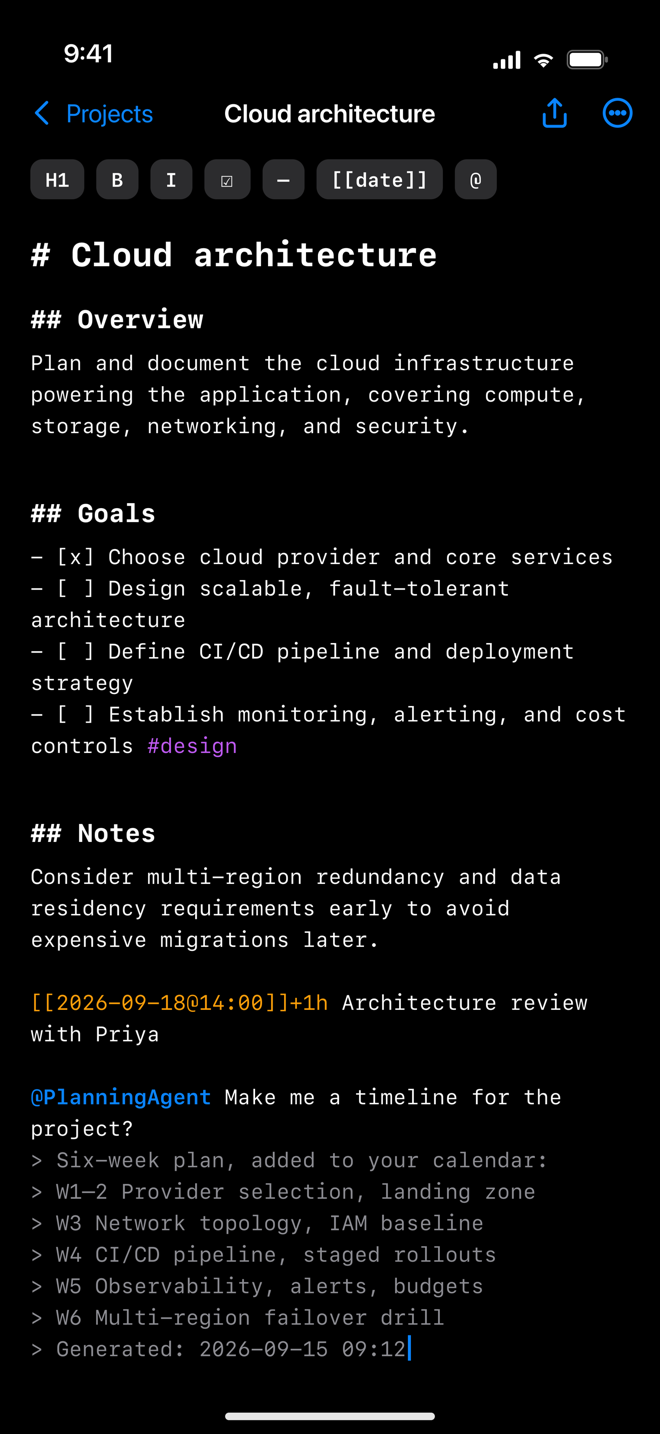
Rich Markdown, live preview
Headings, task lists, tables, footnotes and fenced code — with syntax highlighting as you type and a side-by-side preview when you want it.
Write, record and return to what matters. AIDoJournal brings Markdown notes, voice capture and your daily agenda together on Mac, iPhone and iPad — with widgets for quick access and on-device AI to help you reflect.
A focused set of tools for people who think in text — and would rather not copy that text into five other apps.
Headings, task lists, tables, footnotes and fenced code — with syntax highlighting as you type and a side-by-side preview when you want it.
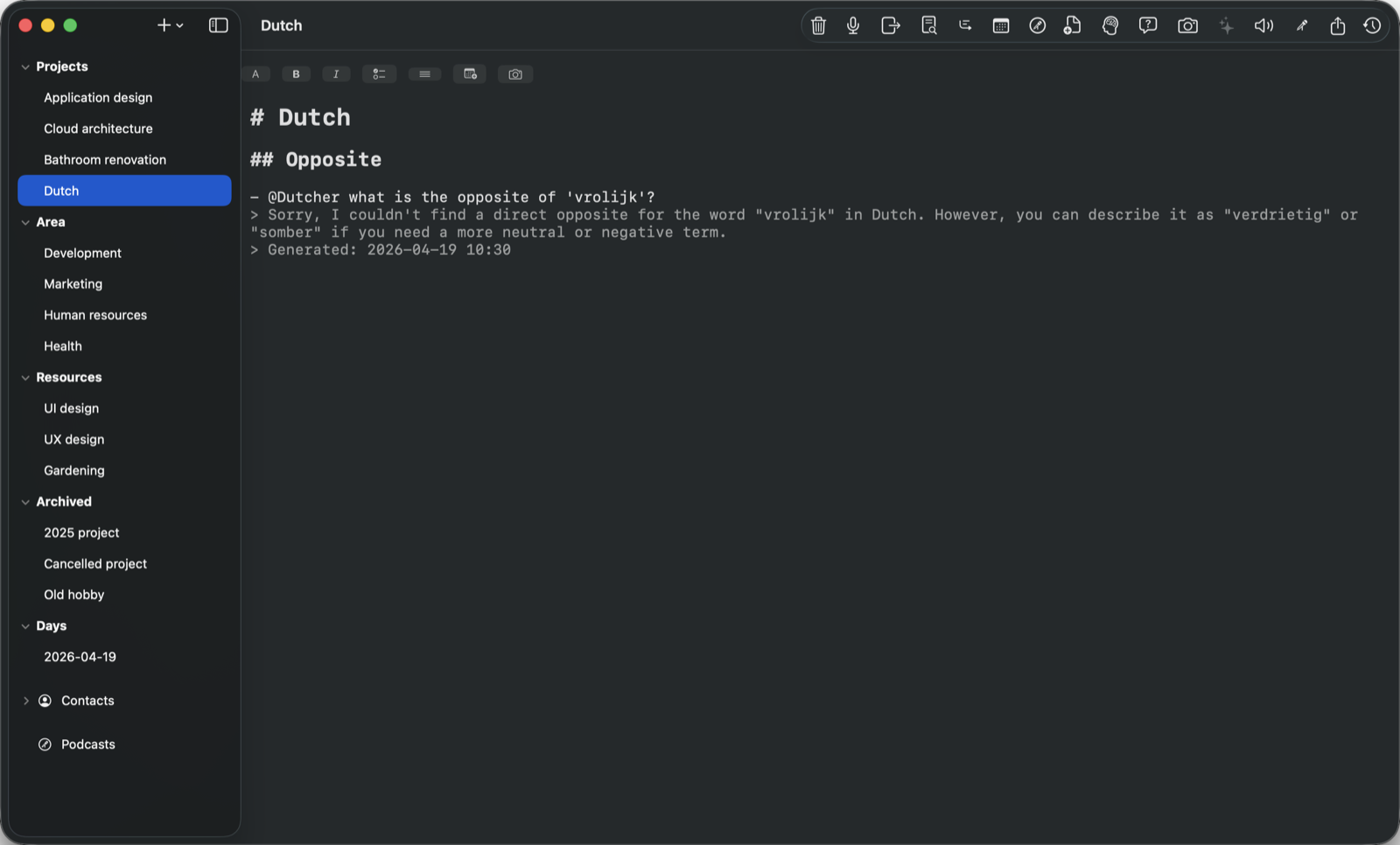
Define agents in plain language, give them tools — calendar, contacts, weather, maps, web search, scripts — and invoke them with @name on any line.
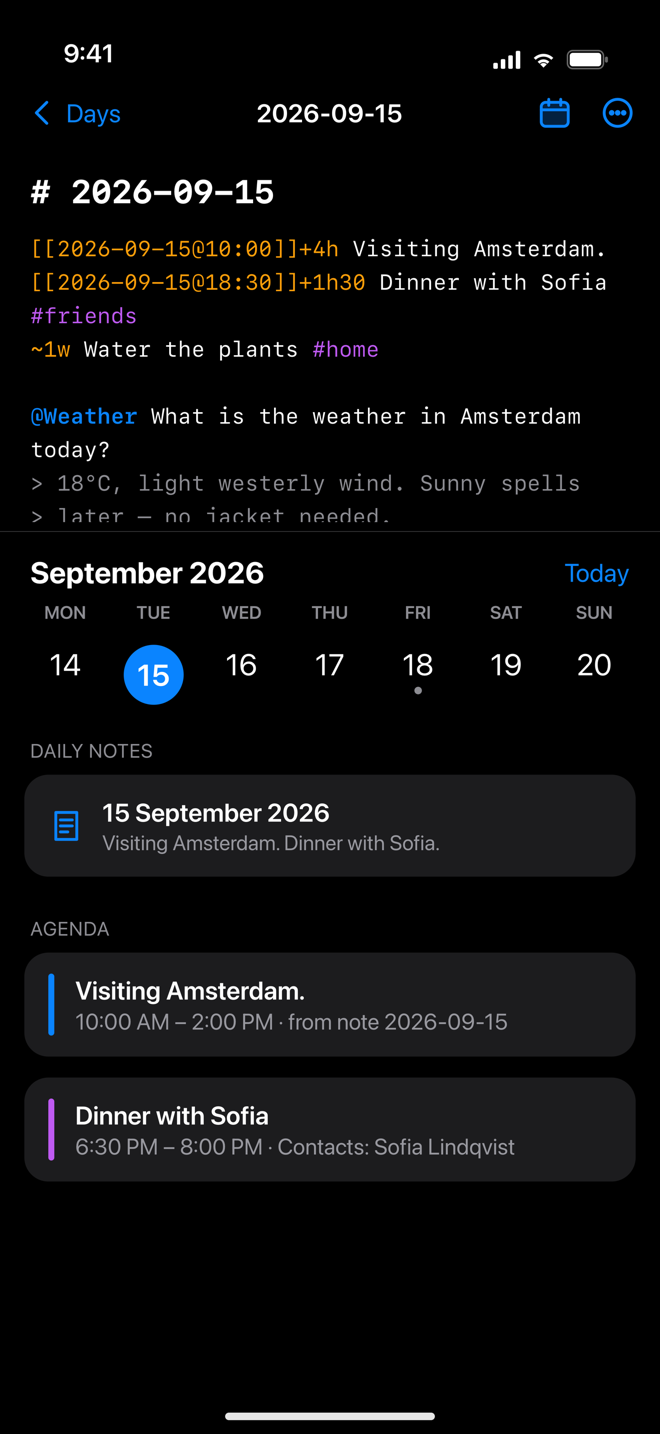
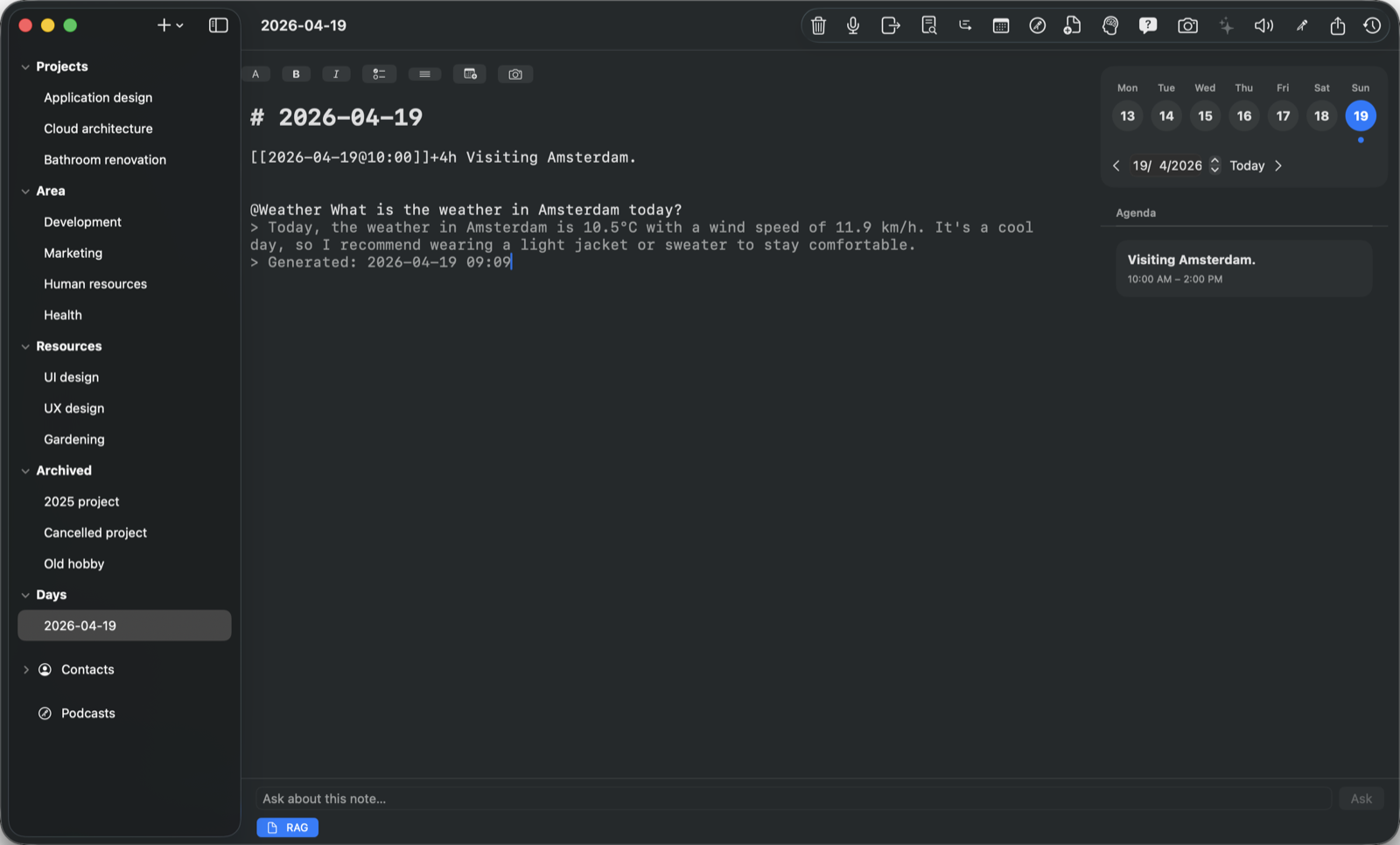
See daily notes beside scheduled entries and calendar events. Choose a date, then select a daily note to open it. Your journal stays accessible without Calendar permission.
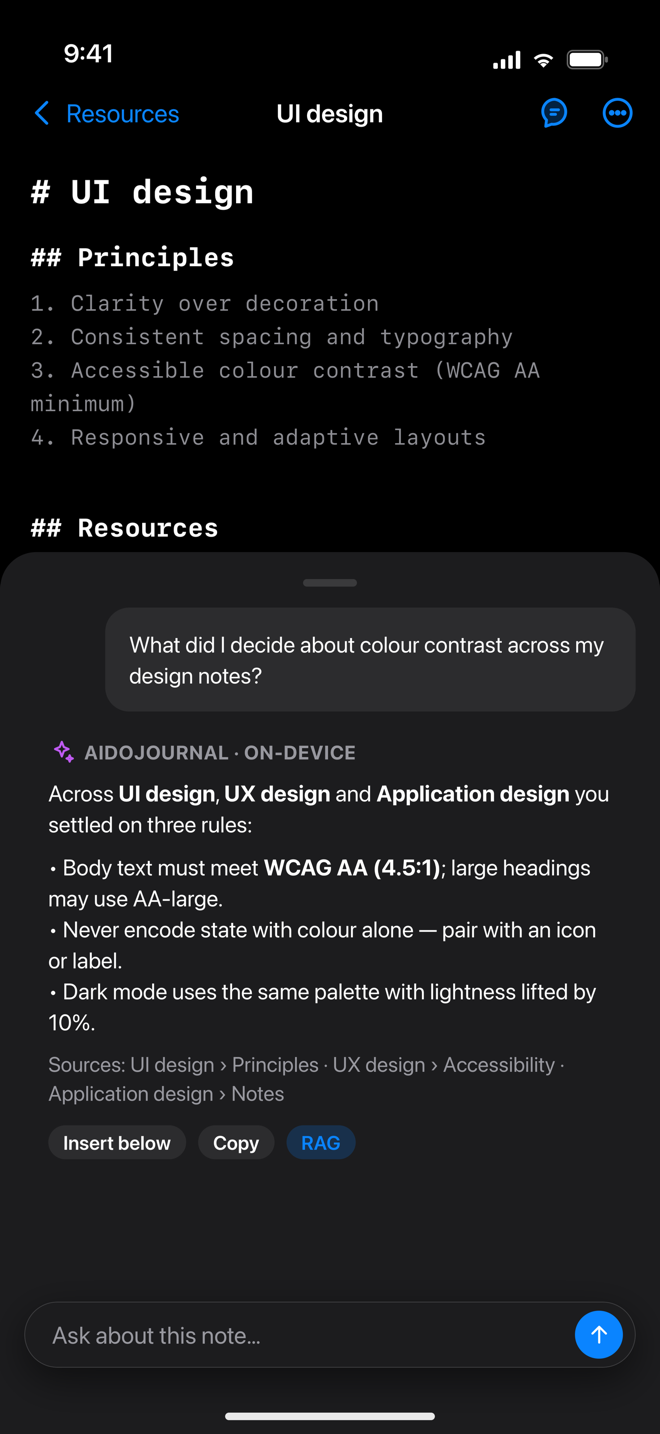
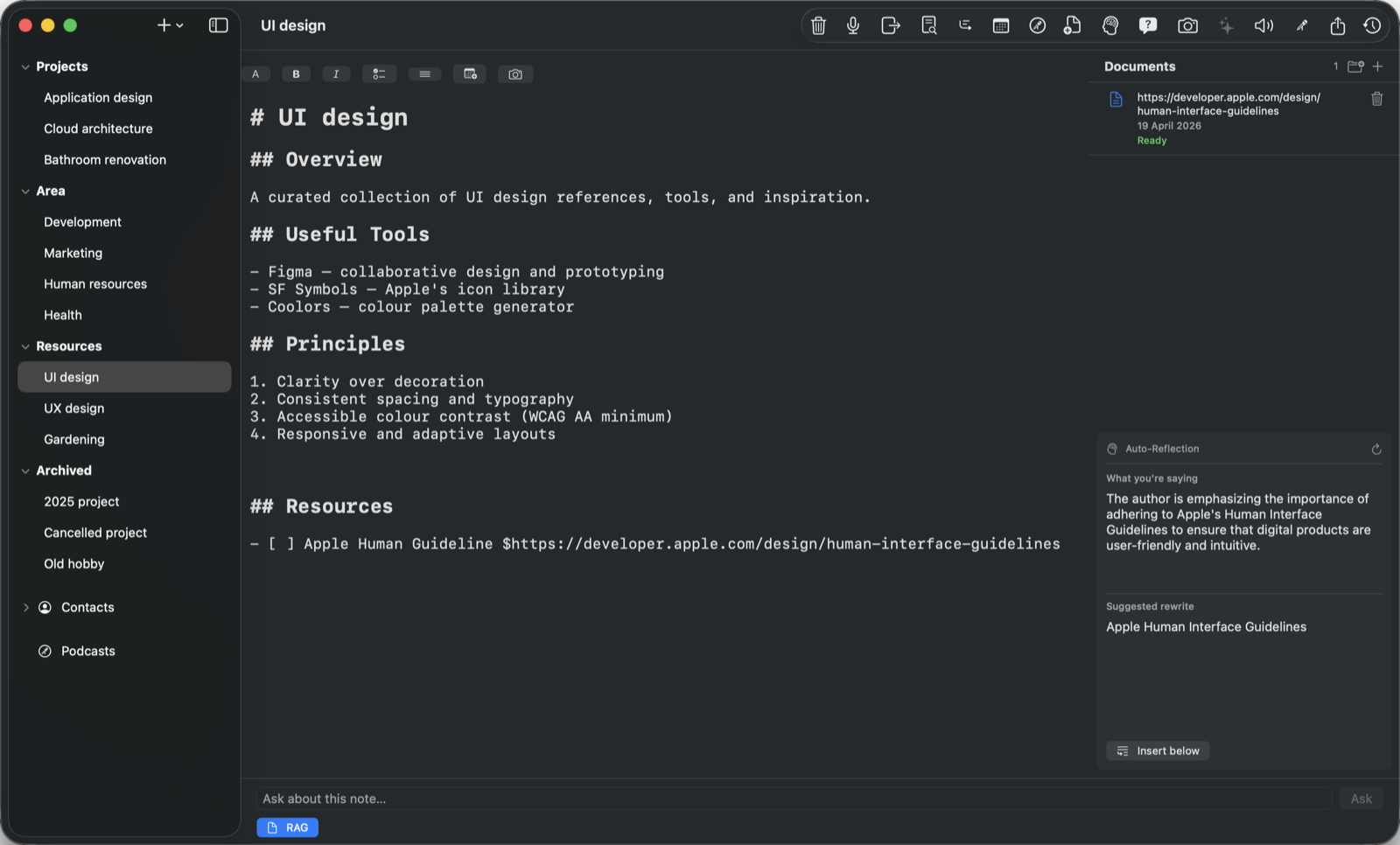
Retrieval-augmented answers grounded in your own notes and linked documents, with sources. Summaries and auto-reflection while you write.
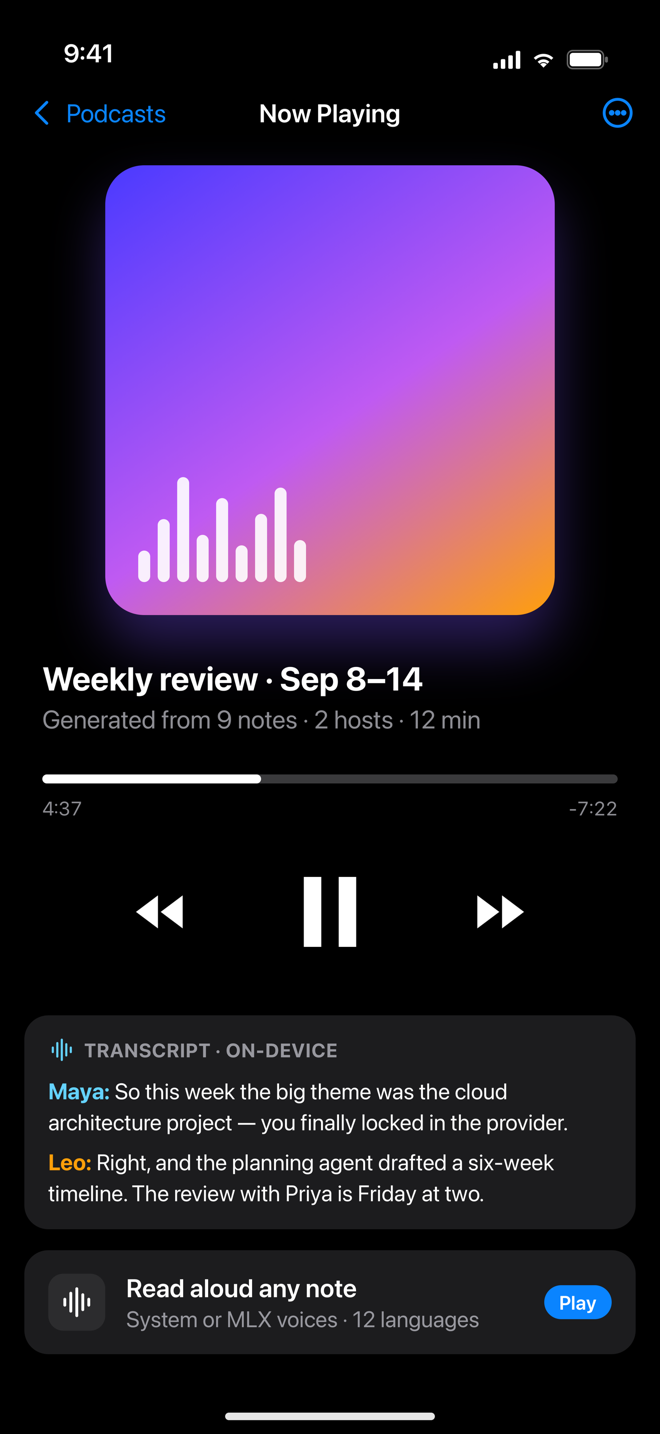
Turn a week of notes into a two-host podcast. Dictate on the go. Have any note read back in a dozen languages with system or MLX voices.
Attach a whiteboard photo or capture your screens; the on-device vision model transcribes text, diagrams and action items straight into the note.
Nested folders, #tags pulled from your text, daily notes filed automatically — and AI that suggests where a note belongs in Projects, Areas, Resources or Archive.
Import Markdown, rich text and NotePlan folders. Export anywhere. Saved version snapshots let you compare changes and restore earlier writing.
Expose your journal to other AI tools over a local, TLS-secured Model Context Protocol server — you decide which tools are enabled.
App previews below use sample journal data. Your journal stays yours.
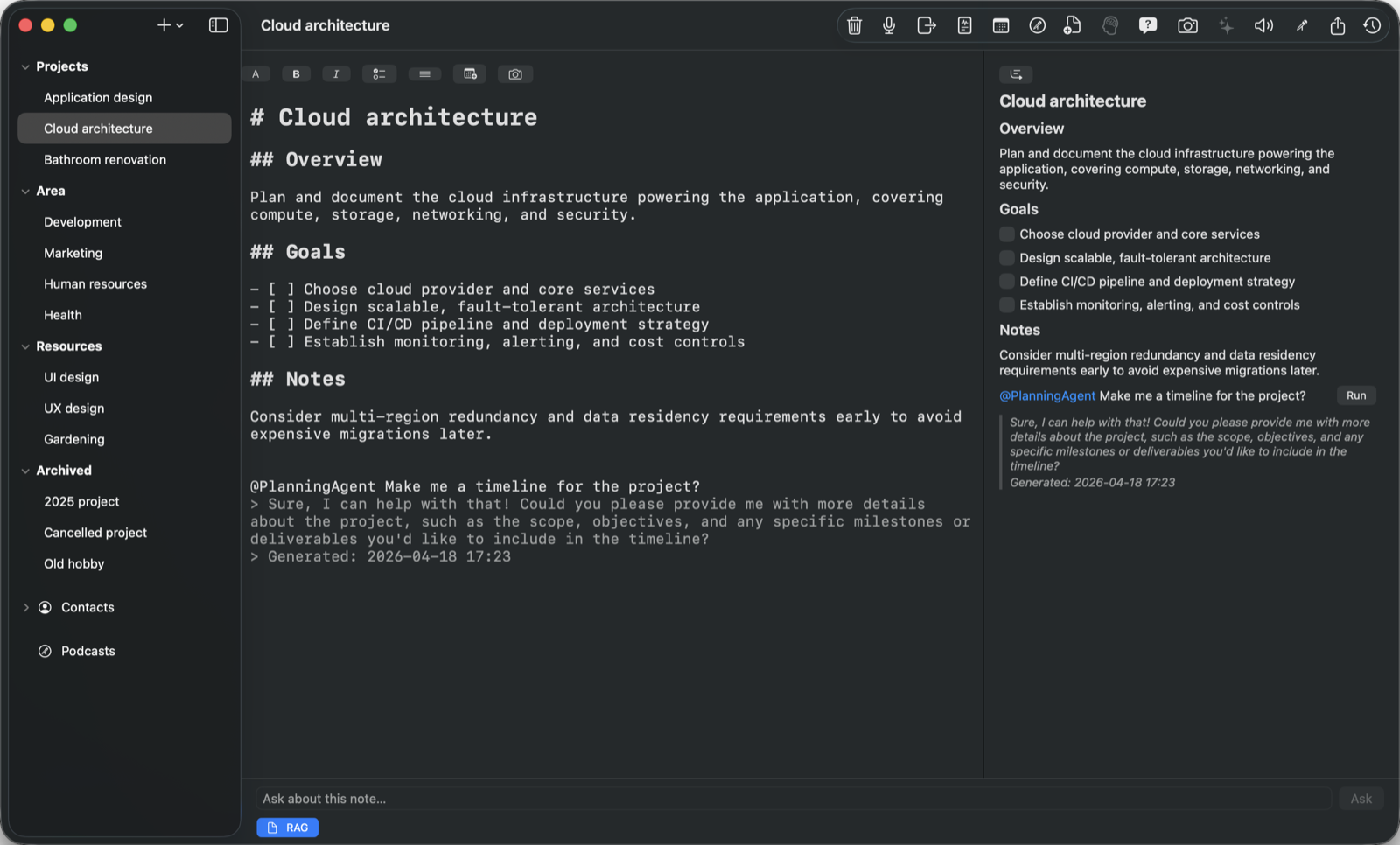
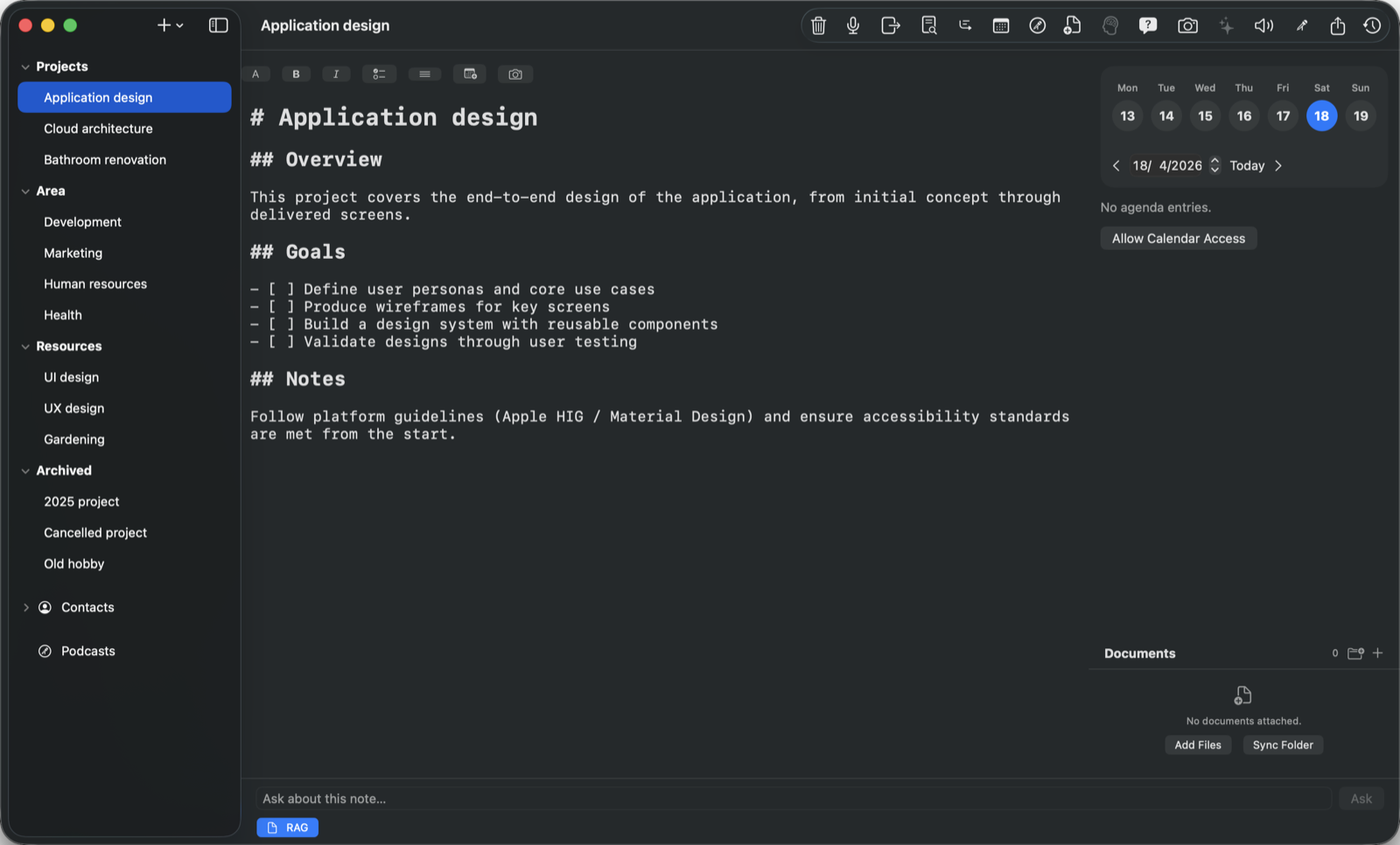
The sidebar mirrors how you think: projects you are driving, areas you maintain, resources you collect, and an archive that stays searchable. Daily notes file themselves under Days.
#hashtags in your text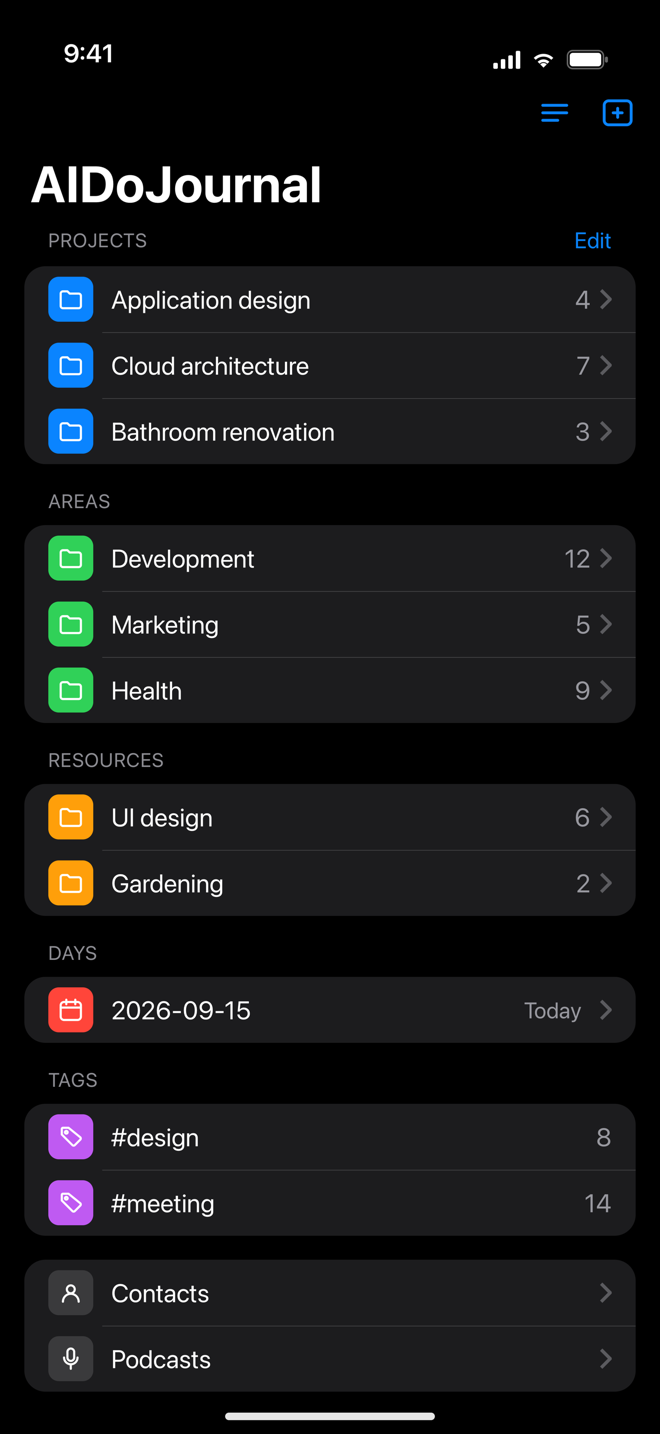
Type @PlanningAgent on a line and the agent reads the note, plans the project and writes the answer back inline — using Apple's on-device Foundation Models by default.
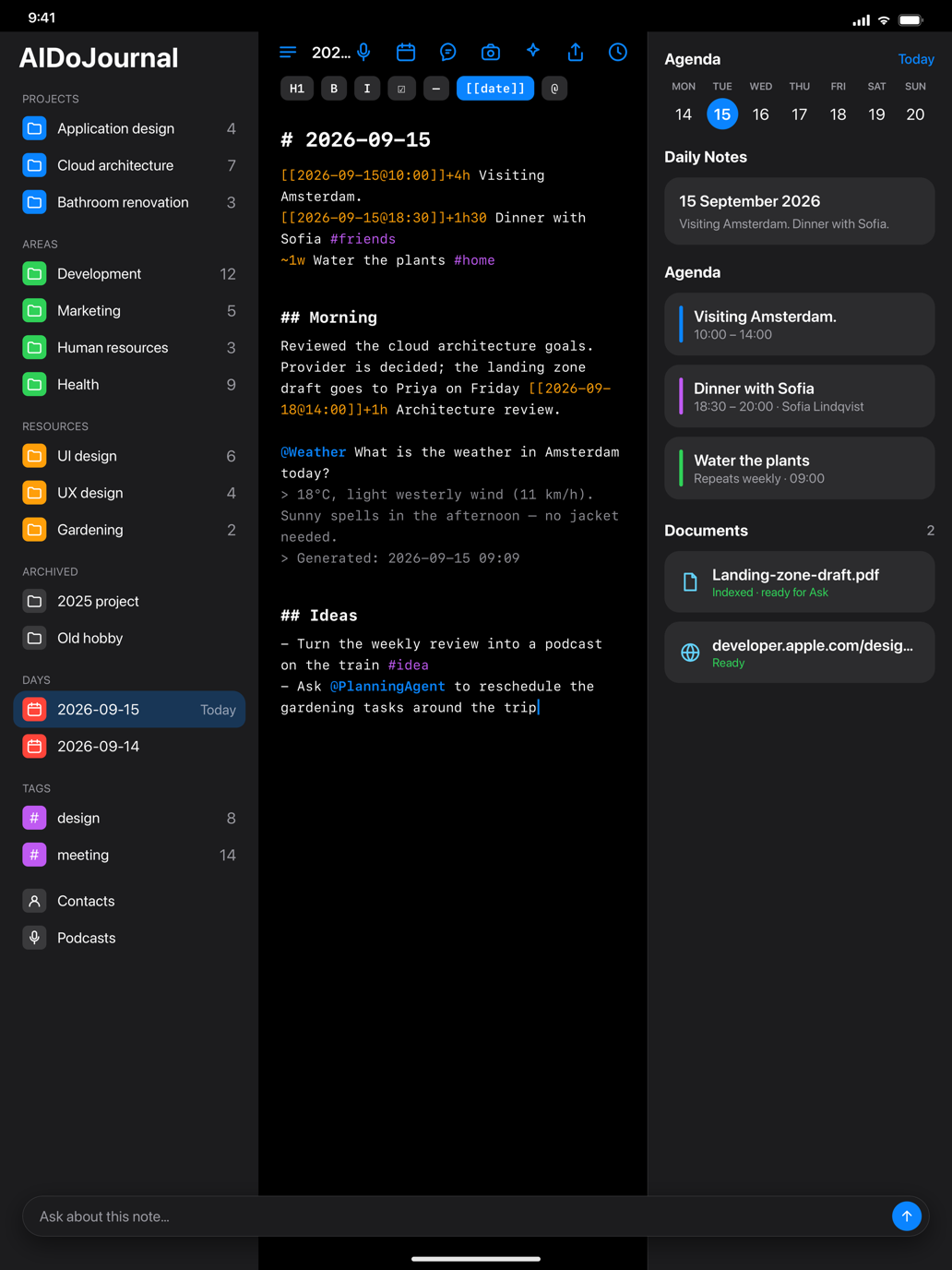
The agenda brings daily notes, scheduled entries and calendar events into one view. Browse the week or choose a date, then open that day’s journal with a click.
Ask a question and AIDoJournal retrieves the relevant passages across notes and linked documents, answers with sources, and offers to insert the result. On-device models keep this processing local.
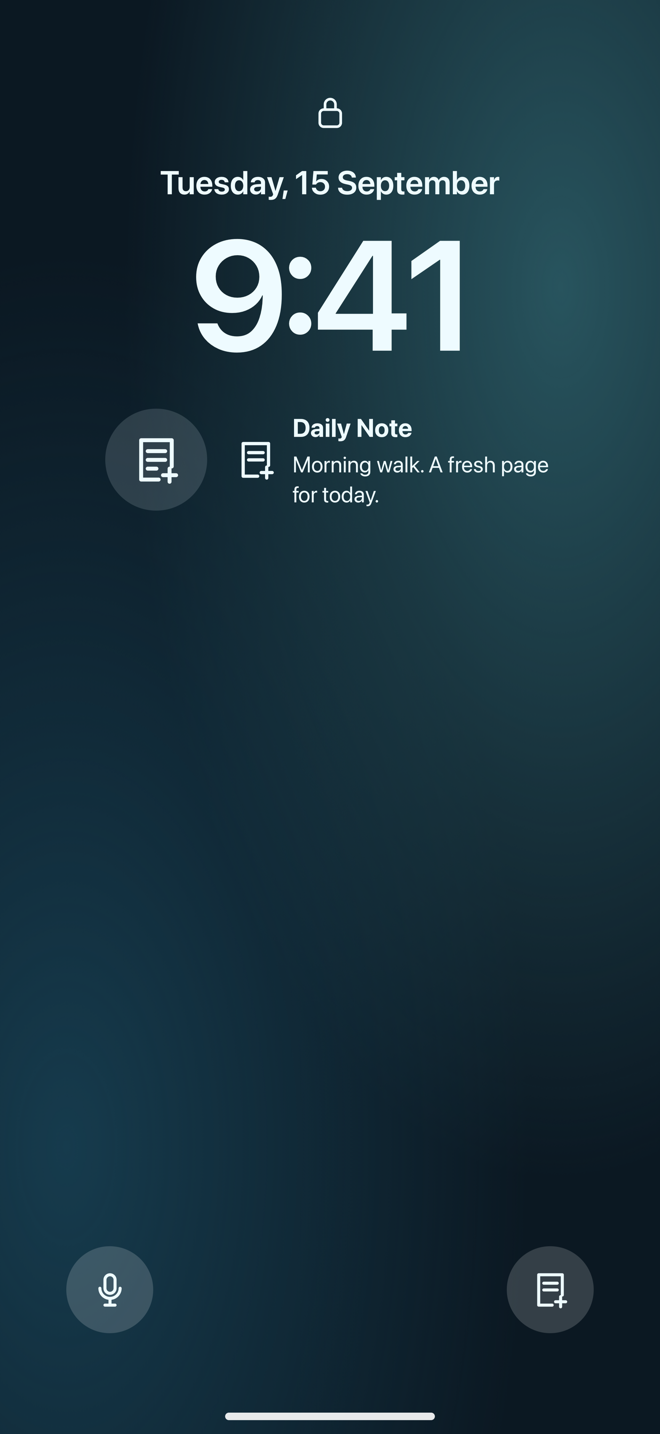
Add Daily Note widgets to your Home Screen or Lock Screen. On iPhone, replace a bottom Lock Screen control with Record Note or Daily Note, and add either control to Control Center.
Two AI hosts recap what you wrote, with a transcript you can keep. Or have any single note read aloud with system or MLX voices, in the language you wrote it.
On iPad the sidebar, editor and inspector share the screen: your calendar, linked documents and the Ask panel are one glance away while you write.
Keep a Daily Note widget on your desktop or in Notification Center. The medium widget also offers Record Note. Use the menu bar for quick capture and ⌘/ for keyboard shortcuts.
AIDoJournal runs on Apple silicon. Notes are stored locally with SwiftData, AI runs through Apple's Foundation Models or local MLX models, and there is no AIDoJournal account, no analytics SDK and no server on our side reading your words.
Prefer a hosted model? You can connect your own OpenAI, Anthropic or Gemini key. It is off by default and clearly labelled. Read the privacy policy.
The full journal, agents and Apple Intelligence models are free. Premium is an optional subscription for people who want bigger local models and sync.
7 days free with monthly. 14 days free with yearly. Introductory offers are for eligible new subscribers; one trial per subscription group.
Euro pricing shown; local prices and trial eligibility are confirmed in the app before purchase. After the trial, your selected plan renews at its regular price. Subscriptions renew automatically unless cancelled at least 24 hours before the end of the period and are managed in your Apple ID settings. Manage subscriptions. See terms and privacy.
Macs with Apple silicon running macOS 26.3 or later, and iPhone or iPad running iOS 26.4 / iPadOS 26.4 or later. On-device AI uses Apple Intelligence; MLX models need Apple silicon.
Notes live on your device by default. If you enable iCloud sync (Premium) they are stored in your private iCloud container, encrypted by Apple, and never visible to us. Remote API providers are used only if you add your own key and choose them explicitly.
An agent is a named set of plain-language instructions plus the tools it may use — calendar, contacts, weather, maps, web search, scripts or a Model Context Protocol server. Mention it with @name on a line and run it; the answer is written back into the note.
Never. Notes are Markdown. Export a folder or your whole journal at any time, and import Markdown, rich text or NotePlan folders in the other direction.
Apple's Foundation Models ship with the operating system. Optional MLX models are downloaded once from Hugging Face into your local cache and then run offline.
Add Daily Note from your device’s widget gallery. On iPhone, customise the Lock Screen to replace a bottom control with Record Note or Daily Note, or add them from Control Center. On Mac, use Edit Widgets on the desktop or in Notification Center. See the setup guide.
Yes. Choose Restart Onboarding from the sidebar’s + menu, or Help › Restart Onboarding on Mac. The tour covers capture, widgets, the agenda, AI and settings.
Visit the support page for guides, troubleshooting and a way to reach us directly.
AIDoJournal for Mac, iPhone and iPad is coming to the App Store.